
TECHNICAL INSTRUCTIONS
SAFETY RECALL 21TA08
SECOND-ROW OUTBOARD SEAT BELT COULD TEAR IN A CRASH
CERTAIN 2022 MODEL YEAR SIENNA VEHICLES
SAFETY RECALL 21TA08 Second-Row Outboard Seat Belt Could Tear in a Crash – 2022 Toyota Sienna
Remedy Instructions and TSB
RCRIT-21V889-6634.pdf 386.981KB
Latest Recalls Documents

- [Easy to Use—Work Out of the Box] + [FOXWELL 2026 New Version] FOXWELL NT604 Elite scan tool is the 2026 new version from FOXWELL, designed for car owners who want to figure out the cause of issues before fixing car problems by scanning common systems like ABS, SRS, engine, and transmission. The NT604 Elite obd2 scanner diagnostic tool comes with the latest software—no need to waste time downloading software first. Plug the scanner into the OBDII port with OBDII cable to start the diagnosis.
- [Affordable] + [Reliable Car Health Monitor] Will you be confused what happens when the warning light of ABS/SRS/transmission/check engine flashes? Instead of taking your cars to dealership, this FOXWELL scanner will help you do a thorough scanning and detection for your cars and pinpoint the root cause. Note:The device is a diagnostic tool, not a repair tool. To turn off a warning light, you must first physically repair the issue causing it. Only then can the scanner be used to clear the corresponding fault code.
- [5 in 1 Car Diagnostic Scanner] Compared with obd scanners (50-100), NT604 Elite code scanner not only includes their OBDII diagnosis but also serves as ABS/SRS scanner, transmission and check engine code reader. When it’s an odb2 scanner, you can use it to check if your car is ready for annual test through I/M readiness menu. In addition, live data stream, built-in DTC library, data play back and print, all these features are a big plus for it. Note: doesn't support maintenance functions like reset or relearn. For the SRS system, NT604 Elite can read and clear common fault codes not caused by a crash, but crash/collision data cannot be cleared.
- [Fantastic AUTOVIN] + [No extra software fee] Through the AUTOVIN menu, this NT604 Elite car scanner allows you to get your V-IN and vehicle info rapidly, no need to take time to find your V-IN and input one by one. What's more, the NT604 Elite ABS SRS scanner supports 60+ car brands from worldwide (America/Asia/Europe). You don’t need to pay extra software fee. AUTOVIN may not work on some older vehicles or certain vehicle brands. If AUTOVIN fails, please input the vin code manually or go to the Diagnostic Menu to select your vehicle model.
- [Solid protective case KO plastic carrying bag] + [Lifetime update] Almost all same price-level car scanner diagnostic tool only offers plastic bag to hold the scanner.However, NT604 Elite automotive scanner is equipped with solid protective case, preventing your obd2 scanner from damage. Then you don’t need to pay extra money to buy a solid toolbox.
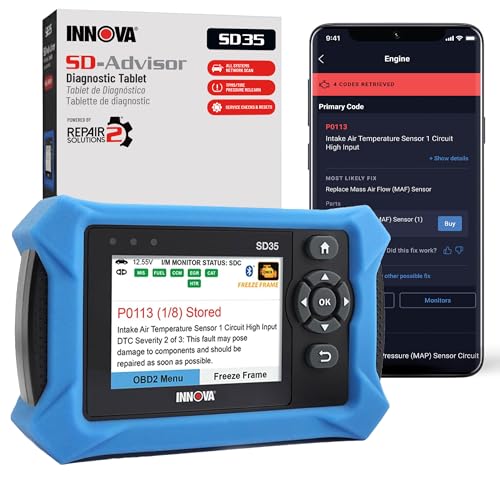
- OBD2 SCANNER FOR ALL SYSTEMS – The INNOVA SD35 is a tablet-based OBD2 scanner designed for advanced diagnostics. Read and clear check engine light, ABS, SRS, and TPMS codes, plus test your car battery and alternator to prevent unexpected failures. Vehicle coverage may vary. Please use Innova’s Coverage Checker to verify compatibility.
- ALL-SYSTEM DIAGNOSTICS & LIVE DATA – Unlike basic code readers, this OBD2 scanner for all vehicles scans engine, transmission, ABS, SRS, and more. Get real-time live data, including RPM, fuel trims, temperature readings, and oxygen sensor performance.
- OBD2 TABLET WITH USER-FRIENDLY INTERFACE – This automotive scan tool features a high-resolution display, making vehicle diagnostics faster and easier.
- ADVANCED TPMS, OIL RESET & SERVICE FUNCTIONS – Perform TPMS sensor checks, oil light reset, and other service resets with ease This professional diagnostic tool provides comprehensive vehicle maintenance capabilities in one device.
- WIDE VEHICLE COVERAGE (1996 & NEWER CARS & TRUCKS) – This OBD2 scanner Bluetooth tablet is compatible with Toyota, Ford, Honda, Chevrolet, Nissan, Dodge, and more. However, feature coverage may vary. Please use Innova's Coverage Checker to verify coverage.
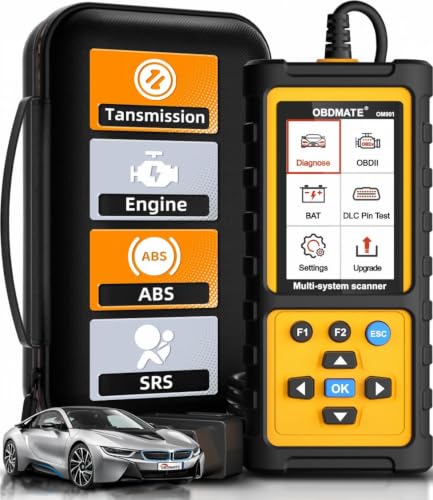
- 【Reset ABS/SRS/Transmission/Engine Lights】 More than an check engine code reader, OBDMATE OM901 obd2 scanner performs comprehensive diagnostics for the 4 most-used systems (ABS/SRS/Engine/Transmission). It quickly clears fault codes, turns off warning lights, read data stream and auto VIN.
- 【3.5" Handheld Scanner with 4 System Diagnose】 3.5" Super large TFT screen equipped displays an intuitive menu and clear readings of various sensors from ABS, SRS, ECM and TCM systems. It arrived with a silicone protective case and hard-shell carrying case, ensuring long-lived durability and drop resistance. The car diagnostic tool is plug-to-play designed, plug it and get diagnosis started without any batteries or updates required.
- 【One-Click I/M Readines&Full OBD2 Functions】 Press F1 to get an intuitive corloured form about whether various emissions-related systems on the vehicle are operating properly. Help you get smog-check ready quickly. OM901 car scanner supports all essential OBD2 functions you need: read & clear codes, view freeze frame, read I/M readiness, retrieve VIN, live data stream (with graphing display), O2 sensor test, onboard monitoring mode, and EVAP leak test.
- 【Battery Voltage Check&DLC Pin Test】 It allows you to monitor battery health by testing current battery voltage. Plus, this obd2 diagnostic tool features DLC 16-PIN test to check current voltage of every pin.
- 【Automotive Scanner Diagnostic Kit】 The package comes with 1 car scanner, 1 USB-type c cable, 1 hard storage bag and 1 user manual(en). Free to update without any hidden fees. 5 languanges available in setting including English, French, Italian, German and Espanish. Valuable and Portable, making it a great tool kit for car owners, DIY enthusiasts, and professional mechanics.
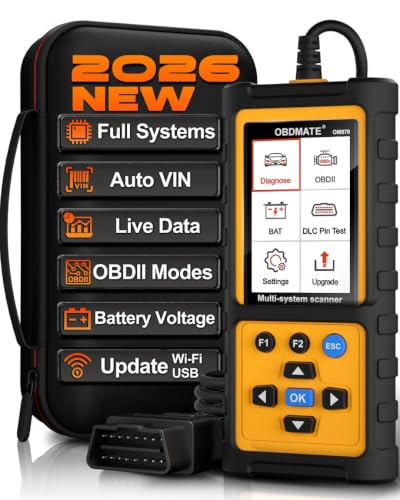
- 【Full Systems Automotive Diagnostic】 More than checking engine, ABS and SRS, OBDMATE OM970 obd2 scanner performs comprehensive diagnostics on all electric modules. It quickly scans and clears fault codes, turns off warning lights, reads live data, and features Auto-VIN technology.
- 【Live Datastream&4-in-1 Graph】 Easily view live sensor data such as RPM, fuel trims, ATF temperature, wheel speed sensor, battery voltage and so on. OM970 scan tool also supports 4-in-1 trend graphing. Spend just 3 minutes to check – and you'll know exactly what's going wrong, helping you avoid hundreds in dealership diagnostic fees.
- 【One-Click I/M Readiness&Full OBD2 Functions】 Press F1 to get an intuitive corloured form about whether your vehicle's emissions-related systems are operating properly. Help you get smog-check ready quickly. OM970 obd2 diagnostic tool supports all essential OBD2 functions you need. Plus, it features battery voltage test and DLC 16-PIN test.
- 【Straightforward Menus with Easy Navigation】 All functions are easy to understand without obscure decriptions. 3.5" Large screen delivers clear readings while keeping one-hand operation. The car diagnostic tool comes with a silicone protective case and a hard-shell carrying case, ensuring long-lived durability and drop resistance.
- 【Budget-Friendly, No Subscriptions, Free Software Updates】 Plug and play: no bluetooth pairing, monthly fees, Wi-Fi connection, or any other troublesome initial settings. OM970 obd2 scanner works out of the box with the latest software. Lifetime free upgrade.
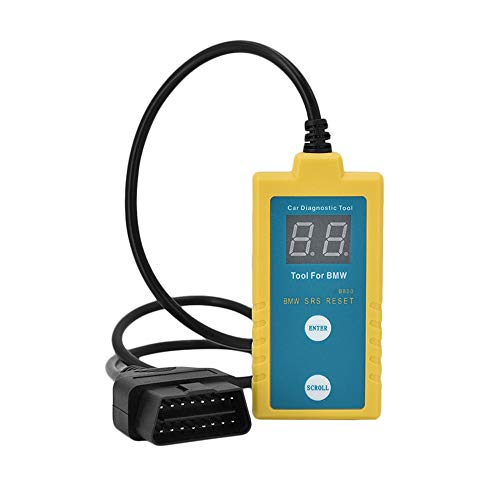
- ✔️【Professional SRS Reset for 1994-2003 BMW】 Designed specifically for classic BMW models (1994-2003). This B800 scanner reads & clears SRS airbag fault codes, turns off the warning light, and saves you a costly dealer visit. Confirmed compatible with: E36, E46 (EXCEPT 2001 330i), E34, E38, E39, Z3, and X5 (E53). NOT compatible with any BMW built before 1994 or after 2003.
- ✔️【Important: Two Different Connection Ports – Read Before Use】 To avoid “not working” issues, please note: For 1994–2000 BMWs (most E36, E34, Z3, early E39), the SRS diagnostic port is a round 20-pin connector under the hood. You MUST use the included 16-pin to 20-pin adapter cable. For 2000–2003 models (late E46, E39, X5), use the standard OBD-II port inside the cabin. Incorrect connection is the #1 reason for “incompatibility” reports.
- ✔️【Read & Clear Fault Codes in Minutes】 Quickly diagnose why your SRS light is on. The scanner accurately reads fault codes from airbag and seatbelt pretensioner systems. With one button press, clear the codes and reset the SRS warning light in seconds. No expensive dealer tools needed.
- ✔️【User-Friendly for DIYers – No Mechanic Required】 Easy operation with an intuitive button layout: ‘Enter’ to confirm, ‘Scroll’ to navigate. The clear LCD screen shows results instantly. Includes a step-by-step manual (revised for clarity) to guide you through the entire reset process.
- ✔️【Reliable Support with 1-Year Warranty】 We stand behind the quality of our B800 scanner. It comes with a 1-Year Hassle-Free Warranty. If you have any questions or need support, please contact us with your Order ID, and our dedicated team will assist you promptly.
SEOCONTENT-START
TECHNICAL INSTRUCTIONS SAFETY RECALL 21TA08 SECOND-ROW OUTBOARD SEAT BELT COULD TEAR IN A CRASH CERTAIN 2022 MODEL YEAR SIENNA VEHICLES The repair quality of covered vehicles is extremely important to Toyota. All dealership technicians performing this repair are required to successfully complete the most current version of the E-Learning course “Safety Recall and Service Campaign Essentials”. To ensure that all vehicles have the repair performed correctly; technicians performing this recall repair are required to currently have completed all of the following courses: T623 – Toyota Electrical Circuit Diagnosis It is the dealership’s responsibility to select technicians with the above certification level or greater to perform this recall repair. Carefully review your resources, the technician skill level, and ability before assigning technicians to this repair. It is important to consider technician days off and vacation schedules to ensure there are properly trained technicians available to perform this repair at all times. 2 I. OPERATION FLOW CHART No further action required Not Covered Covered Campaign complete. Return the vehicle to the customer. Verify Vehicle Eligibility 1. Confirm vehicle VIN matches RO 2. Check Vehicle Inquiry System for campaign eligibility Replace the second row outboard seat belts LH and RH Perform verification Health Check and clear any DTC s Has vehicle been converted for wheelchair accessibility by the Braun Corporation (BraunAbility)? No Has vehicle been converted for wheelchair accessibility by Vantage Mobility International (VMI)? No Refer to the BRAUN Sienna Mobility Vehicle Technical Instructions Yes Refer to the VMI Sienna Mobility Vehicle Technical Instructions Yes II. IDENTIFICATION OF AFFECTED VEHICLES • Check the TIS Vehicle Inquiry System to confirm that each VIN is eligible for this Special Service Campaign, and that it has not already been completed prior to dealer shipment or by another dealer. Note: TMNA warranty will not reimburse dealers for repairs completed on vehicles that are not affected or were completed by another dealer. 3 III. PREPARATION A. PARTS For Gray Trim (most common): Part Number Part Description Quantity 73370-08150-B0 BELT ASSY, REAR SEAT 3 POINT TYPE, OUTER LH 1 73360-08160-B0 BELT ASSY, REAR SEAT 3 POINT TYPE, OUTER RH 1 For Ivory Trim: Part Number Part Description Quantity 73370-08150-A0 BELT ASSY, REAR SEAT 3 POINT TYPE, OUTER LH 1 73360-08160-A0 BELT ASSY, REAR SEAT 3 POINT TYPE, OUTER RH 1 B. TOOLS, SUPPLIES & EQUIPMENT • Techstream • Standard Hand Tools • Torque Wrench 4 IV. CHECK IF VEHICLE HAS BEEN CONVERTED FOR WHEELCHAIR ACCESSIBILITY 1. CHECK IF VEHICLE BEEN CONVERTED FOR WHEELCHAIR ACCESSIBILITY BY THE BRAUN CORPORATION (BRAUNABILITY). a) Refer to graphics on the left to check if vehicle was converted by the Braun Corporation. Was this Sienna converted by Braun? Use the BRAUN Sienna Mobility Vehicle Technical Instructions No Yes Continue to step 2 (below) to check if vehicle was converted by VMI 2. CHECK IF VEHICLE BEEN CONVERTED FOR WHEELCHAIR ACCESSIBILITY BY VANTAGE MOBILITY INTERNATIONAL (VMI). a) Refer to graphics on the left to check if vehicle was converted by the VMI. Was this Sienna converted by VMI? Use the VMI Sienna Mobility Vehicle Technical Instructions No Yes Continue to the next page for remedy procedure instructions for factorycondition vehicles 5 V. REMOVE SECOND ROW OUTBOARD SEAT BELT ASSEMBLY (LH / RH) 1. RECORD SETTINGS OF THE AUDIO SYSTEM, AIR CONDITIONER, ETC. 2. CHECK FOR DTCs 3. MAKE SPACE FOR WORK 4. RECLINE THE SECOND-ROW SEATBACK AND MOVE THE SECOND-ROW SEATS TO THE FRONTMOST POSITION. 5. PULL THE STRAP AND LOCK THE THIRD-ROW SEATBACKS INTO THE UPRIGHT POSITION. 6. DISCONNECT THE NEGATIVE BATTERY CABLE • Wait at least 90 seconds after disconnecting the cable from the negative battery terminal to prevent airbag and seat belt pretension deployment. • Follow all precautions as outlined on TIS before servicing the SRS system. 7. REMOVE THE SECOND ROW OUTBOARD SEAT BELT ASSEMBLIES (LH and RH) Refer to TIS for instructions on SEAT BELT / REAR NO. 1 SEAT OUTER BELT ASSEMBLY (for 60/40 Split Seat Type) / REMOVAL (Doc ID: RM100000001NT97). NOTE: Reference and perform the following procedures on TIS repair manual until the step “n” a) Remove the rear door scuff plate. b) Disconnect the rear door opening trim weatherstrip. c) Remove the quarter trim front lower cover. d) Disconnect the No. 2 rear door wire. e) Disconnect rear seat 3 point type outer belt assembly (remove floor anchor bolt) f) Remove the rear seat outer belt cover. g) Disconnect rear No. 2 seat outer belt assembly (remove c-pillar anchor bolt) h) Remove the luggage hold belt striker assembly. i) Remove the back door scuff plate. j) Remove the spare wheel cover assembly (w/ spare tire). k) Remove the quarter trim front panel assembly LH. l) Remove the quarter trim front panel assembly RH. m) Remove the rear window side garnish assembly. n) DO NOT REMOVE the rear shoulder belt anchor plate sub-assembly o) Remove the nut to disconnect the shoulder anchor of the rear 3 point type outer belt assembly. DO NOT REMOVE 6 p) DO NOT REMOVE the rear shoulder belt anchor adjuster assembly. q) Remove the 2 bolts. Disengage the 2 guides to separate the rear 3 point type outer belt assembly. r) Using a screwdriver with its tip wrapped in protective tape, pull out the locking button to release the lock to disconnect the pretensioner connector as shown in the illustration. *a Locking Button *b Protective Tape NOTE: Use the same procedure for LH side and RH side. DO NOT REMOVE 7 VI. INSTALL NEW SECOND ROW OUTBOARD SEAT BELT ASSEMBLY (LH / RH) 1. CONFIRM THE “L” OR “R” MARK ON NEW SEAT BELT DO NOT install seat belt on incorrect side 2. INSTALL NEW REAR SEAT 3 POINT TYPE OUTER BELT ASSEMBLY LH AND RH Refer to TIS for instructions on SEAT BELT / REAR NO. 1 SEAT OUTER BELT ASSEMBLY (for 60/40 Split Seat Type) / INSTALLATION (Doc ID: RM100000001NT99). NOTE: Reference and perform the following procedures on in this document until the step “f” (switch to TIS repair manual). a) Connect the pretensioner connector and lock the locking button as shown in the illustration. *a Locking Button *b Lock b) Engage the 2 guides to temporarily install the rear 3 point type outer belt assembly. c) Temporarily install the 2 bolts. d) Tighten the bolt (A) and then the bolt (B). Torque: Bolt (A) 12.5 N*m (127 kgf*cm, 9 ft.*lbf) Bolt (B) 42 N*m (428 kgf*cm, 31 ft.*lbf) 8 e) Install the shoulder anchor of the rear 3 point type outer belt assembly with the bolt. Torque: 42 N*m (428 kgf*cm, 31 ft.*lbf) f) Install the rear window side garnish assembly. g) Install the quarter trim front panel assembly LH. h) Install the quarter trim front panel assembly RH. i) Install the spare wheel cover assembly (w/ spare tire). j) Install back door scuff plate. k) Install luggage hold belt striker assembly. l) Connect the rear No. 2 seat outer belt assembly with the bolt Torque: 42 Nm (428 kgf cm, 31 ft lbs) m) Install the rear seat outer belt cover. n) Connect rear seat 3-point type outer belt assembly (install floor anchor bolt) Torque: 42 Nm (428 kgf cm, 31 ft lbs) o) Connect the No. 2 rear door wire. Torque: 11 Nm (112 kgf cm, 8 ft lbs) p) Install the quarter trim front lower cover. q) Connect the rear door opening trim weatherstrip. r) Install quarter trim front lower cover s) Connect rear door opening trim weather strip t) Install the rear door scuff plate NOTE: Use the same procedure for LH side and RH side. 3. RECONNECT THE NEGATIVE BATTERY CABLE 4. INSPECT SRS WARNING LIGHT f) Check that the airbag warning light lights when the power switch is turned on. g) Check that the airbag warning light goes off approximately 6 seconds after turning on of the ignition switch. NOTE: If the airbag warning light remains on, it is likely to be caused by connection failure of the pretensioner connector. 5. CHECK FOR DTCs 6. Refer to TIS for instructions on General / SETUP / WHEN DISCONNECTING OR RECONNECTING BATTERY TERMINAL / WORK PROCEDURE (Doc ID: RM100000001O3VN) 7. RETURN THE VEHICLE TO THE ORIGINAL STATE 9 Examples: 19TA01 = Launched in 2019, Toyota, Safety Recall Remedy Phase, 1st Safety Recall Launched in 2019 20TC02 = Launched in 2020, Special Service Campaign, 2nd Special Service Campaign Launched in 2020 21TE05 = Launched in 2021, Customer Support Program, 5th Customer Support Program Launched in 2021 ◄ VERIFY REPAIR QUALITY ► • Confirm applicable initializations have been performed. • Confirm there are no DTC’s after the replacement VII. APPENDIX A. PARTS DISPOSAL In accordance with Federal law, please make sure all recalled parts (original parts) removed from the vehicle are disposed of in a manner in which they will not be reused, unless requested for parts recovery return. Campaign Designation / Phase Decoder
**************************************************************************************************************
SEOCONTENT-END
This product presentation was made with AAWP plugin.