
TECHNICAL INSTRUCTIONS
FOR
SAFETY RECALL 23TA16
PASSENGER AIRBAG MAY NOT DEPLOY AS DESIGNED
CERTAIN 2022-2023 COROLLA CROSS
BACKGROUND
The subject vehicles were previously inspected under a prior recall. Due to a problem with the inspection process specified by Toyota, the inspection may not have identified certain vehicles requiring the remedy. Without the remedy, the front passenger airbag may not deploy as designed due to a manufacturing error in the instrument panel where the airbag is located. As a result, the vehicles may not meet certain federal requirements, and there could be an increased risk of injury in a crash.
PARTS
No parts are needed for inspection. In the rare case that the vehicle fails the initial QR code inspection, reference the parts table below for parts required
Milling Inspection Only Parts (Clips are required for this inspection)
| Part Number | Part Description | Quantity |
| 62217-42050 | CLIP, FR PILLAR GARNISH | 4 |
I/P Replacement Required Parts
| Part Number | Part Description | Quantity |
| 55400-0A050-C0 | Pad Assy, Instrument Panel | 1 |
| 62217-42050 | CLIP, FR PILLAR GARNISH | 4 |
TOOLS & EQUIPMENT
| Techstream | Standard Hand Tools | Torque Wrench |
23TA16 – Passenger Airbag May Not Deploy as Designed – 2022-2023 Toyota Corolla Cross
Remedy Instructions and TSB – Published 12.20.2023
RCRIT-23V864-1389.pdf 1526.357KB
Latest Recalls Documents
For the Latest and Most recent Recall Information Visit the link below…

- [Easy to Use—Work Out of the Box] + [FOXWELL 2026 New Version] FOXWELL NT604 Elite scan tool is the 2026 new version from FOXWELL, designed for car owners who want to figure out the cause of issues before fixing car problems by scanning common systems like ABS, SRS, engine, and transmission. The NT604 Elite obd2 scanner diagnostic tool comes with the latest software—no need to waste time downloading software first. Plug the scanner into the OBDII port with OBDII cable to start the diagnosis.
- [Affordable] + [Reliable Car Health Monitor] Will you be confused what happens when the warning light of ABS/SRS/transmission/check engine flashes? Instead of taking your cars to dealership, this FOXWELL scanner will help you do a thorough scanning and detection for your cars and pinpoint the root cause. Note:The device is a diagnostic tool, not a repair tool. To turn off a warning light, you must first physically repair the issue causing it. Only then can the scanner be used to clear the corresponding fault code.
- [5 in 1 Car Diagnostic Scanner] Compared with obd scanners (50-100), NT604 Elite code scanner not only includes their OBDII diagnosis but also serves as ABS/SRS scanner, transmission and check engine code reader. When it’s an odb2 scanner, you can use it to check if your car is ready for annual test through I/M readiness menu. In addition, live data stream, built-in DTC library, data play back and print, all these features are a big plus for it. Note: doesn't support maintenance functions like reset or relearn. For the SRS system, NT604 Elite can read and clear common fault codes not caused by a crash, but crash/collision data cannot be cleared.
- [Fantastic AUTOVIN] + [No extra software fee] Through the AUTOVIN menu, this NT604 Elite car scanner allows you to get your V-IN and vehicle info rapidly, no need to take time to find your V-IN and input one by one. What's more, the NT604 Elite ABS SRS scanner supports 60+ car brands from worldwide (America/Asia/Europe). You don’t need to pay extra software fee. AUTOVIN may not work on some older vehicles or certain vehicle brands. If AUTOVIN fails, please input the vin code manually or go to the Diagnostic Menu to select your vehicle model.
- [Solid protective case KO plastic carrying bag] + [Lifetime update] Almost all same price-level car scanner diagnostic tool only offers plastic bag to hold the scanner.However, NT604 Elite automotive scanner is equipped with solid protective case, preventing your obd2 scanner from damage. Then you don’t need to pay extra money to buy a solid toolbox.
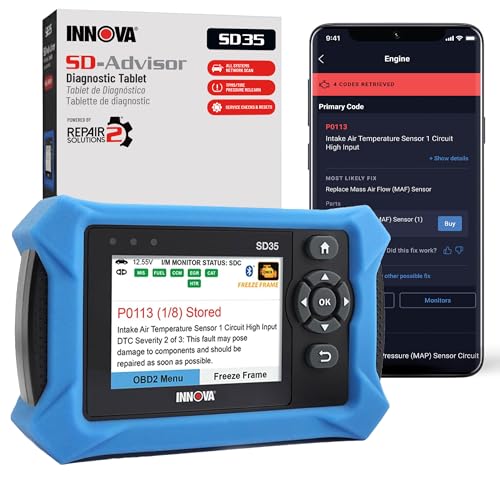
- OBD2 SCANNER FOR ALL SYSTEMS – The INNOVA SD35 is a tablet-based OBD2 scanner designed for advanced diagnostics. Read and clear check engine light, ABS, SRS, and TPMS codes, plus test your car battery and alternator to prevent unexpected failures. Vehicle coverage may vary. Please use Innova’s Coverage Checker to verify compatibility.
- ALL-SYSTEM DIAGNOSTICS & LIVE DATA – Unlike basic code readers, this OBD2 scanner for all vehicles scans engine, transmission, ABS, SRS, and more. Get real-time live data, including RPM, fuel trims, temperature readings, and oxygen sensor performance.
- OBD2 TABLET WITH USER-FRIENDLY INTERFACE – This automotive scan tool features a high-resolution display, making vehicle diagnostics faster and easier.
- ADVANCED TPMS, OIL RESET & SERVICE FUNCTIONS – Perform TPMS sensor checks, oil light reset, and other service resets with ease This professional diagnostic tool provides comprehensive vehicle maintenance capabilities in one device.
- WIDE VEHICLE COVERAGE (1996 & NEWER CARS & TRUCKS) – This OBD2 scanner Bluetooth tablet is compatible with Toyota, Ford, Honda, Chevrolet, Nissan, Dodge, and more. However, feature coverage may vary. Please use Innova's Coverage Checker to verify coverage.
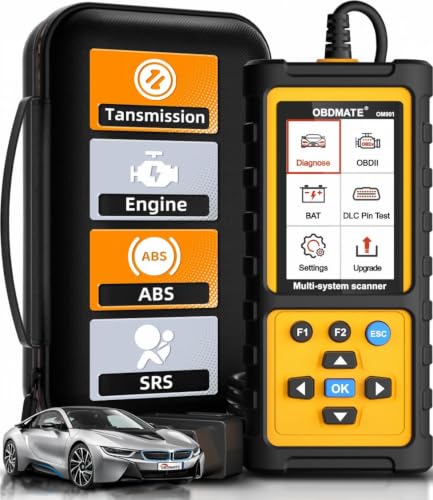
- 【Reset ABS/SRS/Transmission/Engine Lights】 More than an check engine code reader, OBDMATE OM901 obd2 scanner performs comprehensive diagnostics for the 4 most-used systems (ABS/SRS/Engine/Transmission). It quickly clears fault codes, turns off warning lights, read data stream and auto VIN.
- 【3.5" Handheld Scanner with 4 System Diagnose】 3.5" Super large TFT screen equipped displays an intuitive menu and clear readings of various sensors from ABS, SRS, ECM and TCM systems. It arrived with a silicone protective case and hard-shell carrying case, ensuring long-lived durability and drop resistance. The car diagnostic tool is plug-to-play designed, plug it and get diagnosis started without any batteries or updates required.
- 【One-Click I/M Readines&Full OBD2 Functions】 Press F1 to get an intuitive corloured form about whether various emissions-related systems on the vehicle are operating properly. Help you get smog-check ready quickly. OM901 car scanner supports all essential OBD2 functions you need: read & clear codes, view freeze frame, read I/M readiness, retrieve VIN, live data stream (with graphing display), O2 sensor test, onboard monitoring mode, and EVAP leak test.
- 【Battery Voltage Check&DLC Pin Test】 It allows you to monitor battery health by testing current battery voltage. Plus, this obd2 diagnostic tool features DLC 16-PIN test to check current voltage of every pin.
- 【Automotive Scanner Diagnostic Kit】 The package comes with 1 car scanner, 1 USB-type c cable, 1 hard storage bag and 1 user manual(en). Free to update without any hidden fees. 5 languanges available in setting including English, French, Italian, German and Espanish. Valuable and Portable, making it a great tool kit for car owners, DIY enthusiasts, and professional mechanics.
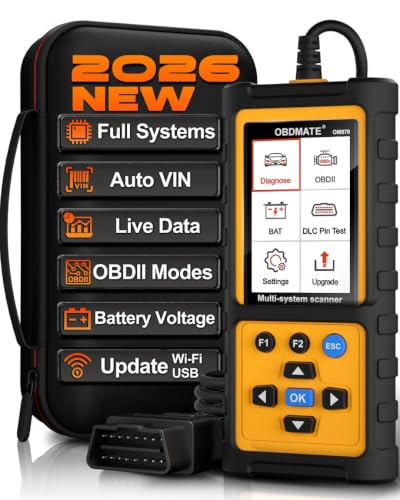
- 【Full Systems Automotive Diagnostic】 More than checking engine, ABS and SRS, OBDMATE OM970 obd2 scanner performs comprehensive diagnostics on all electric modules. It quickly scans and clears fault codes, turns off warning lights, reads live data, and features Auto-VIN technology.
- 【Live Datastream&4-in-1 Graph】 Easily view live sensor data such as RPM, fuel trims, ATF temperature, wheel speed sensor, battery voltage and so on. OM970 scan tool also supports 4-in-1 trend graphing. Spend just 3 minutes to check – and you'll know exactly what's going wrong, helping you avoid hundreds in dealership diagnostic fees.
- 【One-Click I/M Readiness&Full OBD2 Functions】 Press F1 to get an intuitive corloured form about whether your vehicle's emissions-related systems are operating properly. Help you get smog-check ready quickly. OM970 obd2 diagnostic tool supports all essential OBD2 functions you need. Plus, it features battery voltage test and DLC 16-PIN test.
- 【Straightforward Menus with Easy Navigation】 All functions are easy to understand without obscure decriptions. 3.5" Large screen delivers clear readings while keeping one-hand operation. The car diagnostic tool comes with a silicone protective case and a hard-shell carrying case, ensuring long-lived durability and drop resistance.
- 【Budget-Friendly, No Subscriptions, Free Software Updates】 Plug and play: no bluetooth pairing, monthly fees, Wi-Fi connection, or any other troublesome initial settings. OM970 obd2 scanner works out of the box with the latest software. Lifetime free upgrade.
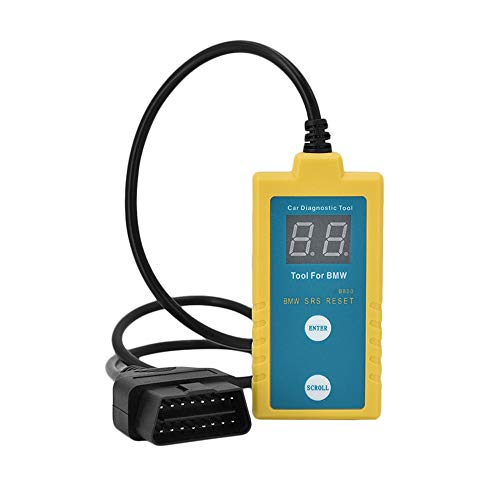
- ✔️【Professional SRS Reset for 1994-2003 BMW】 Designed specifically for classic BMW models (1994-2003). This B800 scanner reads & clears SRS airbag fault codes, turns off the warning light, and saves you a costly dealer visit. Confirmed compatible with: E36, E46 (EXCEPT 2001 330i), E34, E38, E39, Z3, and X5 (E53). NOT compatible with any BMW built before 1994 or after 2003.
- ✔️【Important: Two Different Connection Ports – Read Before Use】 To avoid “not working” issues, please note: For 1994–2000 BMWs (most E36, E34, Z3, early E39), the SRS diagnostic port is a round 20-pin connector under the hood. You MUST use the included 16-pin to 20-pin adapter cable. For 2000–2003 models (late E46, E39, X5), use the standard OBD-II port inside the cabin. Incorrect connection is the #1 reason for “incompatibility” reports.
- ✔️【Read & Clear Fault Codes in Minutes】 Quickly diagnose why your SRS light is on. The scanner accurately reads fault codes from airbag and seatbelt pretensioner systems. With one button press, clear the codes and reset the SRS warning light in seconds. No expensive dealer tools needed.
- ✔️【User-Friendly for DIYers – No Mechanic Required】 Easy operation with an intuitive button layout: ‘Enter’ to confirm, ‘Scroll’ to navigate. The clear LCD screen shows results instantly. Includes a step-by-step manual (revised for clarity) to guide you through the entire reset process.
- ✔️【Reliable Support with 1-Year Warranty】 We stand behind the quality of our B800 scanner. It comes with a 1-Year Hassle-Free Warranty. If you have any questions or need support, please contact us with your Order ID, and our dedicated team will assist you promptly.
SEOCONTENT-START
TECHNICAL INSTRUCTIONS
FOR
SAFETY RECALL 23TA16
PASSENGER AIRBAG MAY NOT DEPLOY AS DESIGNED
CERTAIN 2022-2023 COROLLA CROSS
The repair quality of covered vehicles is extremely important to Toyota. All dealership technicians performing this recall are required to successfully complete the most current version of the E-Learning course “Safety Recall and Service Campaign Essentials”. To ensure that all vehicles have the repair performed correctly; technicians performing this repair are required to currently have completed all of the following courses: -TIC206A – Electrical repair 1 It is the dealership’s responsibility to select technicians that have completed the above courses to perform this repair. Carefully review your resources, the technician skill level, and ability before assigning technicians to this repair. It is important to consider technician days off and vacation schedules to ensure there are properly trained technicians available to perform this repair at all times. I. OPERATION FLOW CHART Verify Vehicle Eligibility
• Confirm vehicle VIN matches the RO
• Check for Campaign eligibility using TIS Not Covered No Further Action Required Covered Inspect Instrument Panel QR Code Not Affected Affected Refer to TI for secondary inspection.
Are the Milling marks Missing? No Yes Replace Instrument Panel Follow TI for repair instructions Campaign completed, return the vehicle to the customer. II. IDENTIFICATION OF AFFECTED VEHICLES
A. CHECK VEHICLE FOR CAMPAIGN ELIGIBILITY
B. Compare the vehicles VIN to the VIN listed on the Repair Order to ensure they match.
C. Check the TIS Vehicle Inquiry System to confirm the VIN is involved in this Campaign, and that it has not already been completed.
Note: TMNA warranty will not reimburse dealers for repairs completed on vehicles that are not affected or were previously completed, even by another dealer. III. PREPARATION
A. PARTS
No parts are needed for inspection. In the rare case that the vehicle fails the initial QR code inspection, reference the parts table below for parts required Milling Inspection Only Parts (Clips are required for this inspection)
Part Number Part Description Quantity
62217-42050 CLIP, FR PILLAR GARNISH 4 I/P Replacement Required Parts
Part Number Part Description Quantity
55400-0A050-C0 Pad Assy, Instrument Panel 1
62217-42050 CLIP, FR PILLAR GARNISH 4 B. TOOLS & EQUIPMENT
• Techstream • Standard Hand Tools • Torque Wrench
2 IV. BACKGROUND
The subject vehicles were previously inspected under a prior recall. Due to a problem with the inspection process specified by Toyota, the inspection may not have identified certain vehicles requiring the remedy. Without the remedy, the front passenger airbag may not deploy as designed due to a manufacturing error in the instrument panel where the airbag is located. As a result, the vehicles may not meet certain federal requirements, and there could be an increased risk of injury in a crash. 3 V. INSPECT INSTRUMENT PANEL SAFETY PAD SERIAL NUMBER Under side of dash shown in image, serial is on driver’s side. 1. REMOVE NO. 1 INSTRUMENT PANEL UNDER COVER
a) Remove the 2 bolts from the under cover
b) Disengage the clips/claws and remove in the direction of the arrows
c) Disconnect the DLC connector wire harness and connector from cover. 4 2. LOCATE THE QR CODE
a) Locate the QR code on the underside of the dash by looking at the area shown below. The label is close to a brown clip. View of Label from Under Dash 3. Use the Scanning App to inspect serial number.
The Scanning app MUST BE used to complete the serial number inspection.
This scanning app is only available for Apple devices. We apologize for any inconvenience this may cause.
a) Please use the 23TA04 Scanning App (Compatible with Apple Devices Only) This app will be used to capture 23TA16 vehicles:
This app can be downloaded to your Apple device and will use the camera video feed to auto capture the VIN and QR code of the label. This app does not require you to upload photos as it is automatically captured.
• The QR code scanning app is only compatible with Apple devices at this time.
• Proceed to step 4. The 23TA04 scanning app will be used for ALL 23TA16 submissions. 5 4. SCANNING APP INSPECTION PROCESS
a) Install the scanning app on your Apple device https://apps.apple.com/us/app/qdamobile/id164029 2519 Note: The App is NOT searchable in the app store you must use this link or QR code to download. The application must be in the most updated version in the app store. Please confirm your application is up to date. Note: This application will work best with iPhone11 and newer. The app may not work with iPhone models older than iPhone11. b) Login Information: use TIS or Dealer Daily Login
c) Select Campaign 23TA04 from the campaign list. d) Select “Scan VIN” in the app and using app scan the vin number on cert label. Note: the app uses the video feed from your phone camera to auto capture. e) Once scanned press “Check VIN” in app to confirm applicability to recall. 6 f) Select “Scan QR” on app and point your camera toward the QR code to obtain the serial number.
Note: the app uses the video feed from your phone camera to auto capture.
g) Select “Submit” to check the serial number on the application.
Ok = Inspection Completed Reinstall No. 1 Instrument Panel Under Cover – Campaign Complete
Suspect Dash = Secondary Inspection for Milling Marks is Required. Continue to Step VI.
Note: If secondary inspection is required submission of milling mark photo is required. The app is now available for secondary inspection photo submission. 7 VI. INSPECT THE INSTRUMENT PANEL SAFETY PAD FOR MILLING MARKS
1. CHECK FOR DTC’S
h) Using a Techstream, perform a Health Check to check for any Diagnostic Trouble Codes. NOTE:
This is to confirm there are no DTCs prior to removal of the instrument panel. This Campaign only covers the instrument panel replacement, as detailed in these instructions. It does not cover the diagnosis or replacement of any other systems on the vehicle.
2. DISCONNECT NEGATIVE BATTERY TERMINAL
a) SRS malfunctions are difficult to confirm, Diagnostic Trouble Codes (DTCs) become the most important source of information when troubleshooting. When troubleshooting the SRS, always check for DTCs before disconnecting the cable from the negative (-) battery terminal.
b) Make sure to turn the ignition switch off before disconnecting the cable from the negative (-) battery terminal.
CAUTION
The SRS is equipped with a back-up power source. If work is started within 60 seconds of disconnecting the cable from the negative (-) battery terminal, the SRS parts may deploy.
3. REMOVE INSTRUMENT PANEL SAFETY PAD
INTERIOR PANELS / TRIM: INSTRUMENT PANEL SAFETY PAD: REMOVAL; 2023 MY Corolla Cross Corolla Cross HV [11/2022 – ] 4. REMOVE PASSENGER AIRBAG ASSEMBLY Disassembly: INTERIOR PANELS / TRIM: INSTRUMENT PANEL SAFETY PAD: DISASSEMBLY; 2022 – 2023
MY Corolla Cross Corolla Cross HV [09/2021 – ]
• Complete steps 1-4 and 6 to remove the Passenger Airbag Assembly 8 VII. INSPECT INSTRUMENT PANEL SAFETY PAD
1. INSPECT INSTRUMENT PANEL FOR MILLING ON PASSENGER AIRBAG SIDE
a) Look for milling marks. Do not add excessive pressure to the milling mark as it could damage the IP. EXAMPLE OF OK MILLING MARKS
• Look for the milling mark.
• There will be a groove down the middle. A flat head screwdriver will fit in the groove.
• The groove will be cut in the black plastic.
• The plastic burs may need to be moved out of the way with a flat head screwdriver.
Video Example: Ok Milling Marks Example Video Note: As seen in the video audible clicks will be heard when going over OK milling. 9 EXAMPLE OF MISSING MILLING MARKS
• Look for smooth plastic. There will be no groove cut into the black plastic.
• A flat head screwdriver will not find a gap on an IP missing the milling.
• The plastic burs may need to be moved out of the way with a flat head screwdriver.
Video Example: Missing Milling Marks Example Video Note: No audible clicks will be present, and the screwdriver can move freely side to side from one edge of the white plastic to the other when milling is missing. 10 IX. DETERMINE INSTRUMENT PANEL CONDITION WITH SCANNING APP 1. DETERMINE INSTRUMENT PANEL CONDITION
a) Determine if the Instrument panel has milling marks.
b) Once logged back into the app, enter the VIN and confirm the S/N matches the previous entry. The application will continue the submission where previously left off.
• VIN
• Serial Number https://apps.apple.com/us/app/qdamobile/id1640292519 The 23TA04 scanning app will be used for ALL 23TA16 submissions. 11 1. FOLLOW INSTRUCTIONS ON THE FINAL SCREEN. THIS SCREEN WILL SAY “REPLACEMENT REQUIRED” OR “NO REPLACEMENT REQUIRED”.
• Document the photo in the app and reinstall the original IP Are the Milling Marks present? No Yes Replace Instrument Panel with a new one. Document findings in the inspection App. Replacement is not required.
Document findings in the inspection App. Re-install Instrument Panel. Continue to Section X for Installation Continue to Section XI for Installation X. INSTALL NEW INSTRUMENT PANEL SAFETY PAD
1. TRANSFER COMPONENTS FROM AFFECTED INSTRUMENT PANEL TO NEW
INSTRUMENT PANEL
Reassembly: INTERIOR PANELS / TRIM: INSTRUMENT PANEL SAFETY PAD: REASSEMBLY; 2022 – 2023 MY
Corolla Cross Corolla Cross HV [09/2021 – ] 2. INSTALL NEW INSTRUMENT PANEL SAFETY PAD
INTERIOR PANELS / TRIM: INSTRUMENT PANEL SAFETY PAD: INSTALLATION; 2022 – 2023 MY Corolla Cross
Corolla Cross HV [09/2021 – ] 12 3. CHECK FOR DTC’S
a) Using a Techstream, perform a Health Check to check for any Diagnostic Trouble Codes NOTE:
This is to confirm there are no DTCs after installation of the instrument panel. This Campaign only covers the instrument panel replacement, as detailed in these instructions. It does not cover the diagnosis or replacement of any other systems on the vehicle. 4. Campaign is now complete
XI. RE-INSTALL THE OLD INSTRUMENT PANEL SAFETY PAD
1. RE-INSTALL PASSENGER AIRBAG ASSEMBLY TO OLD INSTRUMENT PANEL SAFETY PAD
Reassembly: INTERIOR PANELS / TRIM: INSTRUMENT PANEL SAFETY PAD: REASSEMBLY; 2022 – 2023 MY
Corolla Cross Corolla Cross HV [09/2021 – ] • Follow steps 1-5 to reinstall the Passenger Airbag Assembly. 2. INSTALL OLD INSTRUMENT PANEL SAFETY PAD
INTERIOR PANELS / TRIM: INSTRUMENT PANEL SAFETY PAD: INSTALLATION; 2022 – 2023 MY Corolla Cross
Corolla Cross HV [09/2021 – ]
3. CHECK FOR DTC’S
b) Using a Techstream, perform a Health Check to check for any Diagnostic Trouble Codes
NOTE:
This is to confirm there are no DTCs after installation of the instrument panel. This Campaign only covers the instrument panel replacement, as detailed in these instructions. It does not cover the diagnosis or replacement of any other systems on the vehicle. ◄ VERIFY REPAIR QUALITY ► Confirm no DTCs are present after installation.
Confirm all interior trim pieces were reinstalled correctly. If you have any questions regarding this update, please contact your regional representative. 13 14
23
19 = 2019
20 = 2020
21 = 2021
22 = 2022
23 = 2023
Etc…
Year Campaign is Launched
23TA16
T
T = Toyota L = Lexus
Vehicle Make
A
A = Safety Recall Remedy
B = Safety Recall Interim
C = Special Service Campaign D = Limited Service Campaign E = Customer Support Program F = Emissions Recall
(May use other characters in unique cases) Field Action Category and Phase
16
01 = 1st Field Action of the year 02 = 2nd Field Action of the year 03 = 3rd Field Action of the year (The sequence is unique for each Field Action category)
(May use other characters in unique cases)
Field Action Sequence
Examples:
19TA01 = Launched in 2019, Toyota, Safety Recall Remedy Phase, 1st Safety Recall Launched in 2019
20TC02 = Launched in 2020, Special Service Campaign, 2nd Special Service Campaign Launched in 2020
21TE05 = Launched in 2021, Customer Support Program, 5th Customer Support Program Launched in 2021 4. APPENDIX
A. PARTS DISPOSAL
In accordance with Federal law, please make sure all recalled parts (original parts) removed from the vehicle are disposed of in a manner in which they will not be reused, unless requested for parts recovery return.
B. CAMPAIGN DESIGNATION DECORDER
**************************************************************************************************************
**************************************************************************************************************
SEOCONTENT-END
This product presentation was made with AAWP plugin.