
TECHNICAL INSTRUCTIONS
FOR
20TA17
STEERING COLUMN ISSUE MAY AFFECT AIRBAG PERFORMANCE
CERTAIN 2020 – 2021 AVALON
CERTAIN 2020 AVALON HYBRID
BACKGROUND
A component of the steering column on the subject vehicles may have been damaged during assembly. This can potentially affect the performance of the driver airbag when it deploys. This may cause the vehicles not to meet certain federal safety requirements and can result in an increased risk of injury during a crash necessitating airbag deployment.
PARTS
| Part No. | Description | Quantity |
| 45250-07191 | COLUMN ASSY, STEERING | 1 |
| 45897-08010 | BOLT, STEERING LOCK SET | 2 |
TOOLS
- Techstream
- SST 09950-50013 (for steering wheel removal)
- SST 09950-60010 (for steering wheel removal)
- Vice
- Torque Wrench
- Drill
- Drill Bit (4.0 mm or 5/32)
- Spring-Loaded Center Punch (SST 09622-00010 or similar spring-loaded center punch is recommended)
- Screw Extractor (#3 Spiral)
SAFETY (NONCOMPLIANCE) RECALL 20TA17 – Steering Column Issue May Affect Airbag Performance – 2020-2021 Toyota RAV4 & Avalon
Remedy Instructions and TSB
RCRIT-20V734-8511.pdf 2190.979KB
Remedy Instructions and TSB
RCRIT-20V734-9930.pdf 2647.153KB
Latest Recalls Documents

- [Easy to Use—Work Out of the Box] + [FOXWELL 2026 New Version] FOXWELL NT604 Elite scan tool is the 2026 new version from FOXWELL, designed for car owners who want to figure out the cause of issues before fixing car problems by scanning common systems like ABS, SRS, engine, and transmission. The NT604 Elite obd2 scanner diagnostic tool comes with the latest software—no need to waste time downloading software first. Plug the scanner into the OBDII port with OBDII cable to start the diagnosis.
- [Affordable] + [Reliable Car Health Monitor] Will you be confused what happens when the warning light of ABS/SRS/transmission/check engine flashes? Instead of taking your cars to dealership, this FOXWELL scanner will help you do a thorough scanning and detection for your cars and pinpoint the root cause. Note:The device is a diagnostic tool, not a repair tool. To turn off a warning light, you must first physically repair the issue causing it. Only then can the scanner be used to clear the corresponding fault code.
- [5 in 1 Car Diagnostic Scanner] Compared with obd scanners (50-100), NT604 Elite code scanner not only includes their OBDII diagnosis but also serves as ABS/SRS scanner, transmission and check engine code reader. When it’s an odb2 scanner, you can use it to check if your car is ready for annual test through I/M readiness menu. In addition, live data stream, built-in DTC library, data play back and print, all these features are a big plus for it. Note: doesn't support maintenance functions like reset or relearn. For the SRS system, NT604 Elite can read and clear common fault codes not caused by a crash, but crash/collision data cannot be cleared.
- [Fantastic AUTOVIN] + [No extra software fee] Through the AUTOVIN menu, this NT604 Elite car scanner allows you to get your V-IN and vehicle info rapidly, no need to take time to find your V-IN and input one by one. What's more, the NT604 Elite ABS SRS scanner supports 60+ car brands from worldwide (America/Asia/Europe). You don’t need to pay extra software fee. AUTOVIN may not work on some older vehicles or certain vehicle brands. If AUTOVIN fails, please input the vin code manually or go to the Diagnostic Menu to select your vehicle model.
- [Solid protective case KO plastic carrying bag] + [Lifetime update] Almost all same price-level car scanner diagnostic tool only offers plastic bag to hold the scanner.However, NT604 Elite automotive scanner is equipped with solid protective case, preventing your obd2 scanner from damage. Then you don’t need to pay extra money to buy a solid toolbox.
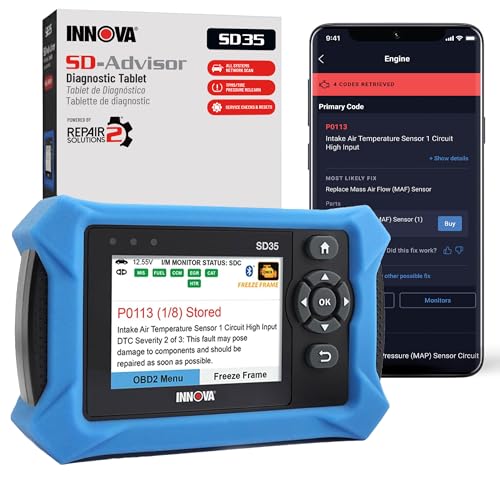
- OBD2 SCANNER FOR ALL SYSTEMS – The INNOVA SD35 is a tablet-based OBD2 scanner designed for advanced diagnostics. Read and clear check engine light, ABS, SRS, and TPMS codes, plus test your car battery and alternator to prevent unexpected failures. Vehicle coverage may vary. Please use Innova’s Coverage Checker to verify compatibility.
- ALL-SYSTEM DIAGNOSTICS & LIVE DATA – Unlike basic code readers, this OBD2 scanner for all vehicles scans engine, transmission, ABS, SRS, and more. Get real-time live data, including RPM, fuel trims, temperature readings, and oxygen sensor performance.
- OBD2 TABLET WITH USER-FRIENDLY INTERFACE – This automotive scan tool features a high-resolution display, making vehicle diagnostics faster and easier.
- ADVANCED TPMS, OIL RESET & SERVICE FUNCTIONS – Perform TPMS sensor checks, oil light reset, and other service resets with ease This professional diagnostic tool provides comprehensive vehicle maintenance capabilities in one device.
- WIDE VEHICLE COVERAGE (1996 & NEWER CARS & TRUCKS) – This OBD2 scanner Bluetooth tablet is compatible with Toyota, Ford, Honda, Chevrolet, Nissan, Dodge, and more. However, feature coverage may vary. Please use Innova's Coverage Checker to verify coverage.
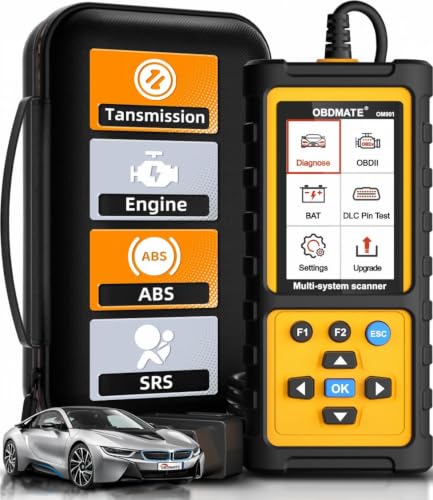
- 【Reset ABS/SRS/Transmission/Engine Lights】 More than an check engine code reader, OBDMATE OM901 obd2 scanner performs comprehensive diagnostics for the 4 most-used systems (ABS/SRS/Engine/Transmission). It quickly clears fault codes, turns off warning lights, read data stream and auto VIN.
- 【3.5" Handheld Scanner with 4 System Diagnose】 3.5" Super large TFT screen equipped displays an intuitive menu and clear readings of various sensors from ABS, SRS, ECM and TCM systems. It arrived with a silicone protective case and hard-shell carrying case, ensuring long-lived durability and drop resistance. The car diagnostic tool is plug-to-play designed, plug it and get diagnosis started without any batteries or updates required.
- 【One-Click I/M Readines&Full OBD2 Functions】 Press F1 to get an intuitive corloured form about whether various emissions-related systems on the vehicle are operating properly. Help you get smog-check ready quickly. OM901 car scanner supports all essential OBD2 functions you need: read & clear codes, view freeze frame, read I/M readiness, retrieve VIN, live data stream (with graphing display), O2 sensor test, onboard monitoring mode, and EVAP leak test.
- 【Battery Voltage Check&DLC Pin Test】 It allows you to monitor battery health by testing current battery voltage. Plus, this obd2 diagnostic tool features DLC 16-PIN test to check current voltage of every pin.
- 【Automotive Scanner Diagnostic Kit】 The package comes with 1 car scanner, 1 USB-type c cable, 1 hard storage bag and 1 user manual(en). Free to update without any hidden fees. 5 languanges available in setting including English, French, Italian, German and Espanish. Valuable and Portable, making it a great tool kit for car owners, DIY enthusiasts, and professional mechanics.
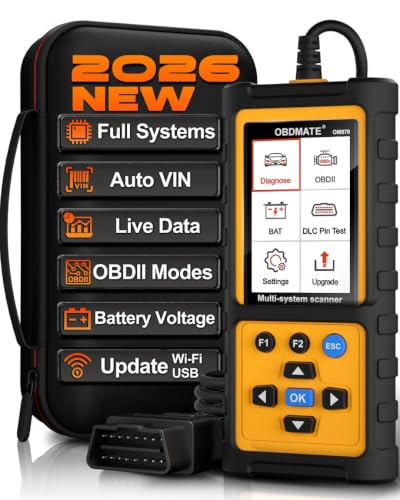
- 【Full Systems Automotive Diagnostic】 More than checking engine, ABS and SRS, OBDMATE OM970 obd2 scanner performs comprehensive diagnostics on all electric modules. It quickly scans and clears fault codes, turns off warning lights, reads live data, and features Auto-VIN technology.
- 【Live Datastream&4-in-1 Graph】 Easily view live sensor data such as RPM, fuel trims, ATF temperature, wheel speed sensor, battery voltage and so on. OM970 scan tool also supports 4-in-1 trend graphing. Spend just 3 minutes to check – and you'll know exactly what's going wrong, helping you avoid hundreds in dealership diagnostic fees.
- 【One-Click I/M Readiness&Full OBD2 Functions】 Press F1 to get an intuitive corloured form about whether your vehicle's emissions-related systems are operating properly. Help you get smog-check ready quickly. OM970 obd2 diagnostic tool supports all essential OBD2 functions you need. Plus, it features battery voltage test and DLC 16-PIN test.
- 【Straightforward Menus with Easy Navigation】 All functions are easy to understand without obscure decriptions. 3.5" Large screen delivers clear readings while keeping one-hand operation. The car diagnostic tool comes with a silicone protective case and a hard-shell carrying case, ensuring long-lived durability and drop resistance.
- 【Budget-Friendly, No Subscriptions, Free Software Updates】 Plug and play: no bluetooth pairing, monthly fees, Wi-Fi connection, or any other troublesome initial settings. OM970 obd2 scanner works out of the box with the latest software. Lifetime free upgrade.
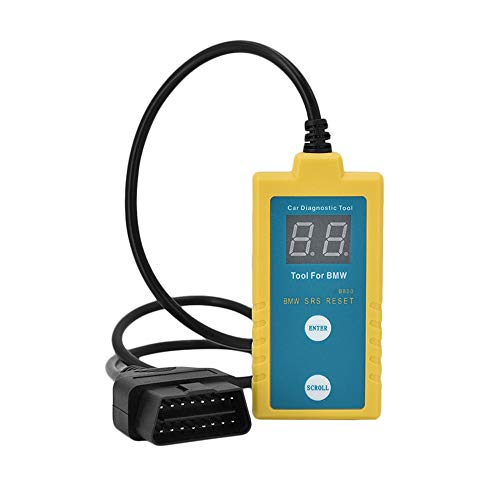
- ✔️【Professional SRS Reset for 1994-2003 BMW】 Designed specifically for classic BMW models (1994-2003). This B800 scanner reads & clears SRS airbag fault codes, turns off the warning light, and saves you a costly dealer visit. Confirmed compatible with: E36, E46 (EXCEPT 2001 330i), E34, E38, E39, Z3, and X5 (E53). NOT compatible with any BMW built before 1994 or after 2003.
- ✔️【Important: Two Different Connection Ports – Read Before Use】 To avoid “not working” issues, please note: For 1994–2000 BMWs (most E36, E34, Z3, early E39), the SRS diagnostic port is a round 20-pin connector under the hood. You MUST use the included 16-pin to 20-pin adapter cable. For 2000–2003 models (late E46, E39, X5), use the standard OBD-II port inside the cabin. Incorrect connection is the #1 reason for “incompatibility” reports.
- ✔️【Read & Clear Fault Codes in Minutes】 Quickly diagnose why your SRS light is on. The scanner accurately reads fault codes from airbag and seatbelt pretensioner systems. With one button press, clear the codes and reset the SRS warning light in seconds. No expensive dealer tools needed.
- ✔️【User-Friendly for DIYers – No Mechanic Required】 Easy operation with an intuitive button layout: ‘Enter’ to confirm, ‘Scroll’ to navigate. The clear LCD screen shows results instantly. Includes a step-by-step manual (revised for clarity) to guide you through the entire reset process.
- ✔️【Reliable Support with 1-Year Warranty】 We stand behind the quality of our B800 scanner. It comes with a 1-Year Hassle-Free Warranty. If you have any questions or need support, please contact us with your Order ID, and our dedicated team will assist you promptly.
SEOCONTENT-START
TECHNICAL INSTRUCTIONS FOR 20TA17 STEERING COLUMN ISSUE MAY AFFECT AIRBAG PERFORMANCE CERTAIN 2020 – 2021 AVALON CERTAIN 2020 AVALON HYBRID The repair quality of covered vehicles is extremely important to Toyota. All dealership technicians performing this recall are required to successfully complete the most current version of the E-Learning course “Safety Recall and Service Campaign Essentials”. To ensure that all vehicles have the repair performed correctly; technicians performing this recall repair are required to currently hold at least one of the following certification levels: • Certified Technician (Chassis) • Expert Technician (any specialty) • Master Technician • Master Diagnostic Technician It is the dealership’s responsibility to select technicians with the above certification level or greater to perform this recall repair. Carefully review your resources, the technician skill level, and ability before assigning technicians to this repair. It is important to consider technician days off and vacation schedules to ensure there are properly trained technicians available to perform this repair at all times. 2 I. OPERATION FLOW CHART CoveredCampaign completed, return the vehicle to the customerVerify Vehicle Eligibility1. Confirm vehicle VIN matches the R.O.2. Check the TIS Vehicle Inquiry SystemNot CoveredNo further action requiredReplace steering column assembly II. IDENTIFICATION OF AFFECTED VEHICLES 1. CHECK VEHICLE FOR CAMPAIGN ELIGIBILITY a. Compare the vehicle’s VIN to the VIN listed on the Repair Order to ensure they match. b. Check the TIS Vehicle Inquiry System to confirm the VIN is involved in this Campaign, and that it has not already been completed. Note: TMNA warranty will not reimburse dealers for repairs completed on vehicles that are not affected or were previously completed, even by another dealer. III. BACKGROUND A component of the steering column on the subject vehicles may have been damaged during assembly. This can potentially affect the performance of the driver airbag when it deploys. This may cause the vehicles not to meet certain federal safety requirements and can result in an increased risk of injury during a crash necessitating airbag deployment. 3 IV. PREPARATION A. PARTS Part No. Description Quantity 45250-07191 COLUMN ASSY, STEERING 1 45897-08010 BOLT, STEERING LOCK SET 2 B. TOOLS o Techstream o SST 09950-50013 (for steering wheel removal) o SST 09950-60010 (for steering wheel removal) o Vice o Torque Wrench o Drill o Drill Bit (4.0 mm or 5/32) o Spring-Loaded Center Punch (SST 09622-00010 or similar spring-loaded center punch is recommended) o Screw Extractor (#3 Spiral) 4 V. COMPONENTS 5 6 7 8 VI. REMOVE STEERING COLUMN ASSEMBLY • The following steps of the TIS repair manual process must be skipped. • These components must not be removed when replacing the steering column assembly for this Recall. TIS RM Step # Description #9 DO NOT REMOVE NO. 1 AIR DUCT #10 DO NOT REMOVE LF WHEEL #11 #12 DO NOT REMOVE Do not disconnect the steering intermediate shaft assembly from the rack and pinion power steering gear #13 DO NOT REMOVE STEERING COLUMN HOLE COVER #14 (a #14 (b) DO NOT REMOVE Do not remove steering intermediate shaft 9 ◄ ENSURE STEERING WHEEL IS STRAIT BEFORE CONDUCTING REPAIRS ► • Before conducting repairs, place steering wheel straight ahead. • After placing steering wheel straight, ensure it is not rotated at any time during the repair. 1. Use the link below to access the TIS repair manual instructions for removing the steering column assembly. Remember: do not remove the components listed on the previous page. Refer to the tips below to supplement the TIS repair manual removal process. STEERING COLUMN: STEERING COLUMN ASSEMBLY (for Manual Tilt and Manual Telescopic Steering Column): REMOVAL; 2019 – 2021 MY Avalon Avalon HV (Doc ID RM100000001ATWH) ◄ REMOVAL TIP ► COMBINATION SWITCH ASSEMBLY WITH SPIRAL CABLE SUB-ASSEMBLY Follow the tip below to for removing the air bag connector from the COMBINATION SWITCH ASSEMBLY WITH SPIRAL CABLE SUB-ASSEMBLY (i) Slide the slider to release the lock, and then disconnect the airbag connector . When disconnecting any airbag connector, take care not to damage the airbag wire harness. (ii) Disconnect each connector from the turn signal switch assembly with spiral cable sub-assembly. 10 ◄ REMOVAL TIP ► LOWER NO. 1 INSTRUMENT PANEL AIRBAG ASSEMBLY Follow the steps below to remove the LOWER NO. 1 INSTRUMENT PANEL AIRBAG ASSEMBLY. (i) TIP: apply protective tape to the position indicated in the illustration to prevent damage to the LOWER NO. 2 INSTRUMENT FINISH PANEL. . When disconnecting any airbag connector, take care not to damage the airbag wire harness. (ii) Use the link to access the TIS repair manual for instructions to remove the LOWER NO. 1 INSTRUMENT PANEL AIRBAG ASSEMBLY. 2020 Model Year: SUPPLEMENTAL RESTRAINT SYSTEMS: KNEE AIRBAG ASSEMBLY (for Driver Side): REMOVAL; 2019 – 2020 MY Avalon Avalon HV (Doc ID RM100000001ARA1) 2021 Model Year SUPPLEMENTAL RESTRAINT SYSTEMS: KNEE AIRBAG ASSEMBLY (for Driver Side): REMOVAL; 2021 MY Avalon Avalon HV (Doc ID RM100000001RG4G) 11 VII. DISSASEMBLE STEERING COLUMN ASSEMBLY 1. Use the link below to access the TIS repair manual instructions for disassembling the steering column assembly. Refer to the tips below to supplement the TIS repair manual disassembly process. STEERING COLUMN: STEERING COLUMN ASSEMBLY (for Manual Tilt and Manual Telescopic Steering Column): DISASSEMBLY; 2019 – 2021 MY Avalon Avalon HV (Doc ID RM100000001ATWD) ◄ DISASSEMBLY TIP ► DO NOT DAMAGE STEERING LOCK ACTUATOR The steering lock actuator will be re-used for this repair. Please take care not to damage it during removal. 12 ◄ DISASSEMBLY TIP ► INTERLOCK ACTUATOR BOLT EXTRACTION DO NOT hit or tap the steering lock actuator bolt to remove. Shock applied to the steering lock actuator assembly may cause the actuator to malfunction. DO NOT use compressed air because it scatters metal debris. Always wear protective glasses when you use a drill. Use a vice to secure the steering column assembly for extracting the interlock bolts. (i) Fix the steering column assembly securely to the vise at the position shown. (ii) Support the steering column assembly with a wooden block or equivalent to keep it stable. NOTE: The steering lock actuator assembly will be reused. DO NOT hold or contact it on the vise. 13 ◄ DISASSEMBLY TIP Continued… ► INTERLOCK ACTUATOR BOLT EXTRACTION A 4.0 mm (5/32) drill bit is recommended. (i) Tape the drill bit at 10 mm from the tip as a stopper Mark the center of the two interlock bolts with a spring-loaded center punch. (i) SST 09622-00010, or a similar spring-loaded center punch is recommended. (ii) Do not use a normal center punch. The impact force may damage the steering lock actuator. Cover the areas other than the steering actuator bolts with protective tape, so that the steering lock actuator assembly, which is to be reused, is protected from metal debris. Hold the drill straight and make a hole 10mm deep 14 ◄ DISASSEMBLY TIP Continued… ► INTERLOCK ACTUATOR BOLT EXTRACTION A size #3 (Spiral) screw extractor is recommended (i) Insert the screw extractor into the hole. Slowly turn the extractor counterclockwise while inserting it straight, and the remove the two interlock bolts VIII.REASSEMBLE STEERING COLUMN ASSEMBLY 1. Use the link below to access the TIS repair manual instructions for reassembling the steering column assembly. Refer to the tips below to supplement the TIS repair manual reassembly process. STEERING COLUMN: STEERING COLUMN ASSEMBLY (for Manual Tilt and Manual Telescopic Steering Column): REASSEMBLY; 2019 – 2021 MY Avalon Avalon HV (Doc ID RM100000001ATWF) ◄ REASSEMBLY TIP ► ENSURE CORRECT ALIGNMENT OF STEERING LOCK ACTUATOR Ensure to align the lock pin of the steering lock actuator assembly and the hole of the NEW steering column assembly and assemble them together so that they fit each other without any gap. 15 IX. INSTALL STEERING COLUMN ASSEMBLY 1. Use the link below to access the TIS repair manual instructions for installing the new steering column assembly into the vehicle. STEERING COLUMN: STEERING COLUMN ASSEMBLY (for Manual Tilt and Manual Telescopic Steering Column): INSTALLATION; 2019 – 2021 MY Avalon Avalon HV (Doc ID RM100000001ATWI) ◄ VERIFY STEERING WHEEL IS STRAIGHT AFTER REPAIRS ► • After the repair is finished, verify that the steering wheel is straight. • If the steering wheel is not straight, adjust the steering wheel until it is straight. ◄ VERIFY REPAIR QUALITY ► • Verify that all nuts and bolts involved in the campaign repair have been torqued to the values specified in the TIS Repair Manual • Confirm proper steering lock actuator operation. XI. CAMPAIGN DESIGNATION/PHASE DECODER 1919 = 201920 = 202021 = 202122 = 202223 = 2023Etc…Year Campaignis Launched19TA01TT = ToyotaL = LexusVehicle MakeAA = Safety Recall RemedyB = Safety Recall InterimC = Special Service CampaignD = Limited Service CampaignE = Customer Support ProgramF = Emissions Recall(May use other characters in unique cases)Field Action Category and Phase0101 = 1st Field Action of the year02 = 2nd Field Action of the year03 = 3rd Field Action of the year(The sequence is unique for each Field Action category)(May use other characters in unique cases)Field Action Sequence Examples: 19TA01 = Launched in 2019, Toyota, Safety Recall Remedy Phase, 1st Safety Recall Launched in 2019 20TC02 = Launched in 2020, Special Service Campaign, 2nd Special Service Campaign Launched in 2020 21TE05 = Launched in 2021, Customer Support Program, 5th Customer Support Program Launched in 2021 X. APPENDIX A. PARTS DISPOSAL In accordance with Federal law, please make sure all recalled parts (original parts) removed from the vehicle are disposed of in a manner in which they will not be reused, unless requested for parts recovery return.
SEOCONTENT-END
This product presentation was made with AAWP plugin.