TECHNICAL INSTRUCTIONS
FOR
SAFETY (NONCOMPLIANCE) RECALL 22TA07
Panoramic View Monitor System – Potential Failure to Display Rearview Image
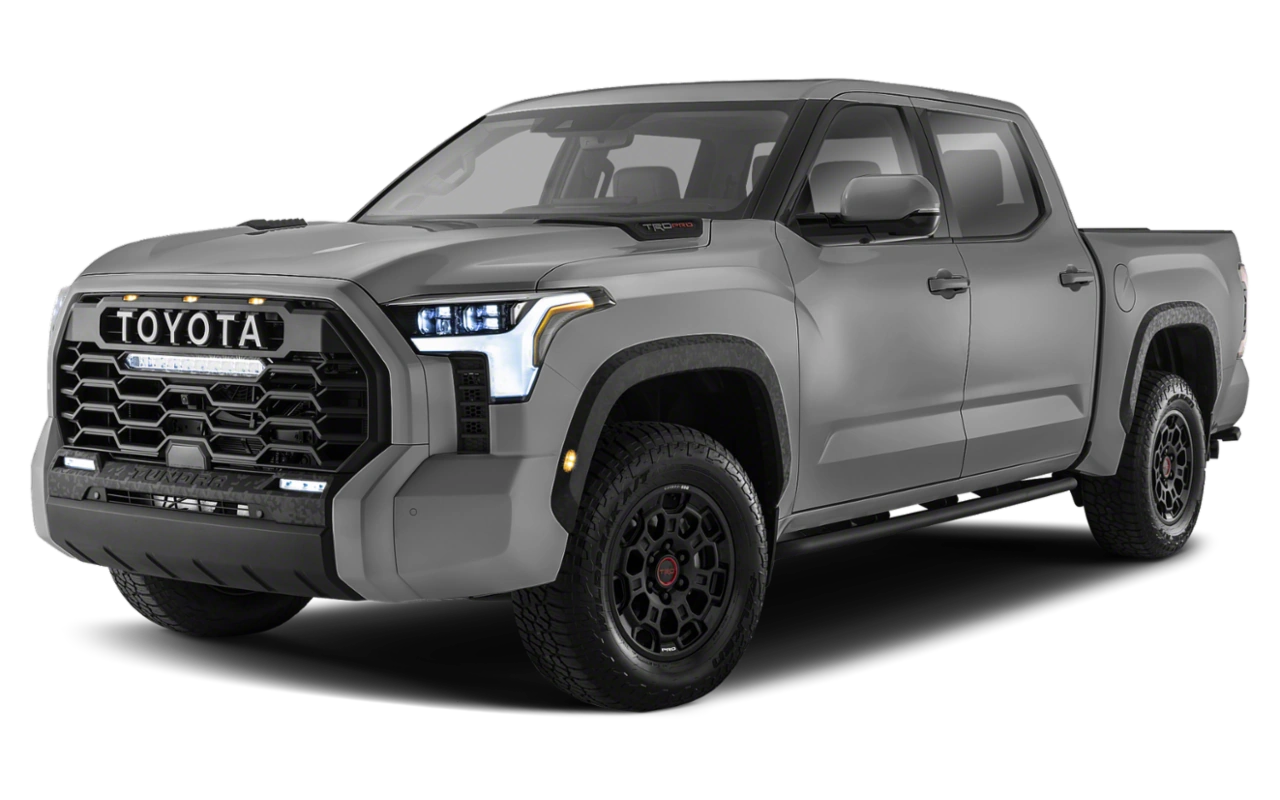
Certain 2022 Model Year Tundra + Tundra HV
IDENTIFICATION OF AFFECTED VEHICLES
- Check the TIS Vehicle Inquiry System to confirm the VIN is involved in this Campaign, and that it has not already been completed prior to dealer shipment or by another dealer.
- TMS warranty will not reimburse dealers for repairs completed on vehicles that are not affected or were completed by another dealer.
PREPARATION
TOOLS, SUPPLIES & EQUIPMENT
- Techstream ADVi / Techstream 2.0 / Techstream Lite
- DCA-8000P Battery Diagnostic Tool
BACKGROUND
In the affected vehicles, a software programming issue can cause the front camera image of the Panoramic View Monitoring (PVM) system to display instead of the rear camera image when the vehicle is placed into reverse position. If the rear camera image does not display after the vehicle is placed into reverse position, the vehicle will not comply with certain U.S. safety requirements and may increase the risk of a crash during a backing event.
22TA07 – Panoramic View Monitor System – Potential Failure to Display Rearview Image – 2022 Toyota Tundra & Tundra Hybrid
22TA07 – Panoramic View Monitor System – Potential Failure to Display Rearview Image – 2022 Toyota Tundra & Tundra Hybrid
Remedy Instructions and TSB
RCRIT-22V501-8693.pdf 648.54KB
Remedy Instructions and TSB
RCRIT-22V501-6037.pdf 658.447KB
Latest Recalls Documents
Reprogramming
Approved J2534 Devices only provide reprogramming capabilities and do not support diagnostic scantool functions. For full diagnostic capabilities, please consider TIS Techstream or Techstream Lite
Toyota, Scion, and Lexus ECMs can be reprogrammed with the TIS Techstream, Techstream Lite, Diagnostic Tester, or can also be reprogrammed using a Toyota validated J2534 interface. Vehicle recalibration requires the use of the following:
- TIS Professional Level Subscription
- Toyota Calibration Update Wizard software (installed along with Techstream Software)
- Personal Computer running Microsoft Windows XP/2000 or later operating system
Toyota strongly recommends USING ONLY VALIDATED INTERFACE DEVICES that appear on this list.
Toyota works closely with J2534 interface manufacturers to ensure that their hardware works safely and efficiently with our products. Every device listed on this page has been thoroughly tested and validated on Toyota, Scion, and Lexus vehicles.
It is important to understand that only the specific devices, firmware, DLLs and APIs listed here have been tested by Toyota. We do not recommend use of any other J2534 device, firmware, DLL or API that is not listed here. Changes to J2534 hardware/software is outside of Toyota's control; in some cases, changes made to device hardware/software can negatively impact reprogramming performance. Toyota makes every effort to continue to work with J2534 interface manufacturers to ensure continued product compatibility as our respective products evolve.
J2534 Approved Device Application Chart
| Device Name |
Supplier | Version | CUW Version |
Supported OS | ||
|---|---|---|---|---|---|---|
| Firmware* | DLL* | API* | ||||
| Flasher LT-Import | Bosch Diagnostics | 01.02.07 | 01.02.07 | 04.04 | 8.8 | B, C, D, E |
| Flasher PRO | Bosch Diagnostics | 01.09.18 | 01.09.18 | 04.04 | 8.8 | B, C, D, E |
| Mastertech VCI | Bosch Diagnostics | 13.0.75.27 | 2.0.75.27 | 04.04 | Testing in Progress | B, C, D, E |
|
VSI-2534 |
Dearborn Group | 1.112 | 2.05.22 | 04.04 | 8.10 | C, D |
|
|
Drew Technologies | 01.09.18 | 01.09.18 | 04.04 | 8.8 | B, C, D, E |
| Mongoose MFC | Drew Technologies | 01.02.07 | 01.02.07 | 04.04 | 8.8 | B, C, D, E |
| Drew Technologies | 1.1.12.0 | 1.1.12.0 | 04.04 | 8.16 | A, B, C, D | |
| Pass Thru Pro II | Snap-On | 01.09.18 | 01.09.18 | 04.04 | 8.8 | B, C, D, E |
*Original validated firmware/DLL versions may be superceded by the device manufacturer. Contact the device manufacturer if you are unable to find the versions listed above.
Supported Operating Systems
| A | Windows 8 (32-bit; 64-bit) |
| B | Windows 7 (32-bit; 64-bit) |
| C | Windows VISTA Home Basic, Home Premium, Business, Ultimate |
| D | Windows XP Pro SP1 or later |
| E | Windows 2000 SP2 or later |
For more information about the J2534 devices listed above, click on the vendor names. To report compatibility problems with listed hardware/software, please contact the device manufacturer.
Obtaining Calibration Files
The Flash Reprogramming Calibration CD is no longer available.
ECU Calibrations are now available for download directly from TIS. A valid TIS Professional Level subscription is required to access Calibration files. These files are compatible with the above mentioned scantools and J2534 interfaces. The Calibration page, located on the Diagnostics tab in the TIS site, contains all the most current vehicle calibration files, applicable Service Bulletins, and instructions for use. Select the following link for step by step instructions to access this page.
Note: Calibration Update Software is now included in the Techstream Software Installer. A valid TIS Professional Level subscription is required to download and install Techstream Software.

- J2534 Pass-Thru Programmer: TOPDON RLink J2534 is an advanced diagnostic and reprogramming tool that support all J2534 protocols, as well as D-PDU, CAN-FD and DoIP, ensuring compatibility with a wide range of modern vehicles. It offers extensive versatility with support for over 18 major automotive brands, including Chrysler, Ford, GM, Nissan, Toyota, Honda, Subaru, Land Rover/Jaguar, Volvo, Wuling, Volkswagen/Audi, Mercedes-Benz, and BMW. NOTE: Not compatible with Ford IDS diagnostic software
- All-in-One OEM Diagnostics: This J2534 ECU programming tool elevates your automotive repair capabilities to new heights by delivering complete OEM diagnosis. Boasting comprehensive full-system diagnostics, intuitive repair guides, advanced ECU programming and coding, common reset services, a vast library of repair information and more, this all-in-one solution empowers technicians to effortlessly tackle complex vehicle issues with ease. *Not compatible with 24V vehicles
- Proven Performance You Can Trust: Backed by over 10000 real vehicle tests and benefit from a wealth of practical experience, this OEM reprogramming tool guarantees stable and exceptional performance. Supported by TOPDON's dedicated technical experts with in-depth knowledge of both auto repair and J2534 Pass-Thru programming, the RLink J2534 provides prompt and professional assistance, ensuring a smooth setup and reliable compatibility
- Integrated Excellence, Always Up-to-Date: Featuring the exclusive RLink Platform to provide a streamlined experience with one-click driver installation and management, ensuring flawless integration with your OE software, maintaining the original performance quality. The built-in operation guide makes mastering OE software quick and easy, so you can get started right away. Plus, with lifetime free updates, your diagnostics will stay current with the latest drivers and innovations
- Efficiency Meets Versatility: Engineered to support three CAN channels simultaneously - CAN FD and CAN-CC included, giving you the edge in fast troubleshooting. To perfectly synchronized with the OE software, please diagnose with active subscriptions and make sure your computer system is running a compatible 64-bit Windows version (7, 8, 10 or later) to fully leverage the power of RLink J2534. *We don't provide extra OE software

- Advanced VCI Box, Industry-leading J2534 Pass-Thru Technology: This J2534 Pass-Thru Programmer is designed espically for technicians, independent shop owners, and DIY enthusiasts, enables fast, reliable computer-based programming. It supports all J2534 protocols—including the latest DoIP and CAN FD—ensuring full compatibility with both legacy and next-generation vehicles.
- High-Speed OEM-Level Diagnostics & Programming: Unlock true OEM functionality with comprehensive system diagnostics, guided troubleshooting, coding, adaptations, resets, and programming—all designed to slash repair time. This all-in-one tool eliminates the need for multiple OEM devices, boosting efficiency and cutting costs. Equipped with High-Speed USB, it delivers 10x more data per second than competing solutions
- Coverage for 17 Car Brands & Ultra Reliability: Works seamlessly for Chrysler, for Ford(Forscan), for GM, for Nissan, for Toyota, for Honda, for Subaru(SSM4), for Land Rover/Jaguar, for Volvo, for Wuling, for Volkswagen, for Mercedes-Benz, and for BMW. Backed by over 10000 real vehicle tests and benefit from a wealth of practical experience, this OEM reprogramming tool guarantees stable and exceptional performance
- User-Friendly RLink Platform & Expert Support: TOPDON’s proprietary driver management platform offers a clean interface and lifetime free updates. Access a rich library of real-world case studies to stay ahead of the curve. Backed by a support team with 10+ years of J2534 and automotive repair experience, we provide one-on-one assistance to resolve any technical issue.
- 6.6 ft USB-C Cable & Portable Storage Case: The RLink J2534 diagnostic tool features a 6.6ft USB 2.0 Cable and a 1.2 ft OBDII Extension Cable, allows to connection your computer easily outside the vehicle. The included handled carry case offers easy portability, storage, and hanging options—keeping your gear clean and ready to go, anywhere.
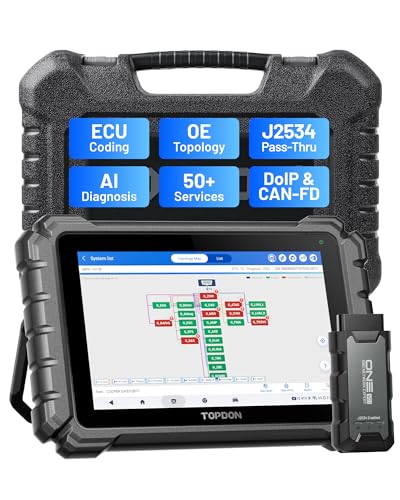
- Dual WiFi & 10.1" Touchscreen: Provides a stable, high-speed wireless link 3x faster than bluetooth, and a responsive, professional interface. Topdon ONE obd2 scanner diagnostic tool ensures smooth, non-lagging diagnostic scan, boosting mechanic efficiency
- J2534 Pass-Thru Support: The included ONE VCI supports the J2534 standard, allowing it to function as a pass-thru device when paired with OEM diagnostic software.Through TOPDON’s RLink platform, technicians can perform dealer-level coding, expanding in-house capabilities without investing in multiple factory automotive scan tools
- OE Topology Mapping: Visualize the vehicle’s ECU network exactly as it’s built.Zoom, pan, and highlight specific modules to pinpoint component issues with precision.Topology mapping displays real-time communication between modules
- 50+ Service Functions: Covers high-demand services like ADAS calibration, DPF regen, TPMS reset, ABS bleed, and throttle adaptation.Expands your service menu, allows you to charge premium rates, and turns away zero jobs due to lack of tooling. Vehicle-specific functionality may vary
- Advaned ECU Coding: 10 of the most serviced brands in North America, including full ECU coding and flash hidden support for BMW, VW, Au-di, Benz, Porsche, Toyota, Ni ssan and more. Enables module replacement, feature customization, and personal settings with automatic backup or restore.Lets your shop safely offer high-margin customization services, attracting more customers and boosting profit

- [J2534 Pass-Thru Programmer] - TOPDON RLink J2534 is engineered for professional technicians, delivering OEM diagnostic and reprogramming capabilities. It supports all J2534 protocols, CAN-FD, DoIP, D-PDU. Compatible with 17 vehicle brands—such as Chrysler, Ford, GM, KIA, Hyundai, Nissan, Toyota, Honda, Subaru, Mitsubishi, MAZDA, Land Rover/Jaguar, Volvo, Volkswagen/Audi, Mercedes-Benz, and BMW. RLink J2534 can help reduce the cost of purchasing equipment from different brands.
- [All-in-One OEM Reprogramming and Diagnostics] - When seamlessly integrated with OEM diagnostic software, this dongle enables you to perform a wide range of functions, including ECU programming and coding, DTC reading and clearing, active tests, component matching, adaptations, rewriting, guided troubleshooting, and more. This all-in-one tool eliminates the need for multiple OEM devices, significantly boosting work efficiency.
- [Tested, Trusted, and Proven for Accuracy] - TOPDON RLink J2534 is renowned for its reliability, having successfully completed over 10,000 real-vehicle tests. The wealth of data and hands-on experience behind it ensures consistent performance and accurate results. You can trust this tool to deliver optimal performance.
- [One-Click Installation, Continuous Updates] - The exclusive TOPDON RLink platform streamlines installation with a one-click driver setup, allowing you to quickly access OEM software for diagnostic and reprogramming tasks. With lifetime free updates, your RLink J2534 stays current without any additional cost, ensuring reliable performance for the long term. *We don't provide extra OE software.
- [Works with Windows Compatibility and OEM Software Subscription] - The RLink J2534 supports three CAN channels - including CAN FD and CAN-CC, providing advantages in the process of rapid troubleshooting. Compatible with Windows 7, 8 and 10 (64-bit) and higher versions of the system. For full functionality, an active OEM software subscription is required for each supported vehicle brand. Please note that the dongle does not include OEM software, which must be purchased separately to access brand-specific diagnostic and reprogramming features.
- 💯【Conta.ct us for Support Directly】For any issues experienced after purchase, please reach out to: 📞autelsupply@ outlook. com🛣️. Our team will provide perfect solution for you. For tech support or [explore additional accessory], please cont.act our team: 📞autelsupply@ outlook. com🛣️.
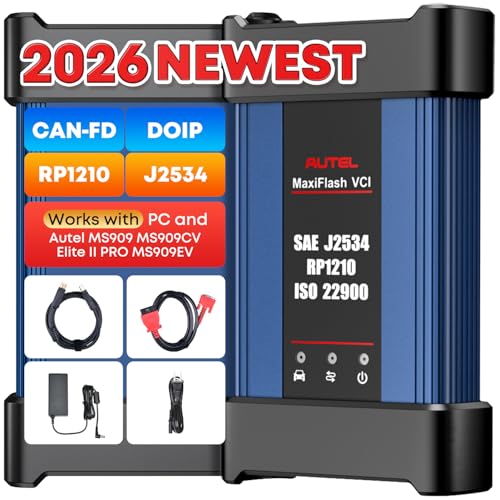
- 🌎【Autel J2534 Pass-Thru Progra.mmer】As an OEM Pass-Thru Progra.mmer Vehicle interface for multiple makes, Autel MaxiFlash J2534 support all J2534 protocols, D-PDU, CAN-FD and DoIP protocols. 2026 newer Autel MaxiFlash J2534 VCI can works with P-C and download OEM vehicle software, seamlessly conduct OE-level diagnostic-progra.mming-c0ding. Also, Work with Elite II Pro/ Ultra Lite/ MS909/ MS909CV/ MS909EV to directly pro.gram on Merce.des-Be.nz & BM.W. Autel J2534 Progr.ammer is a multi-functional device and supports 10+ major brands, including for Hond.a, G.M, LandRo.ver, BM.W, Chrysl.er, For.d, Hyun.dai, Ki.a, Merc.edes B.enz, Toyot.a, Volksw.agen etc.
- 🌎【Enhanced Protocol: J2534/D-PDU/RP1210/CAN FD/DoIP】Autel MaxiFlash JVCI is a blueto.oth communicate device, it supports latest CAN FD DoIP CAN protocols, compliant with automotive D-PDU/ J2534/ RP1210 standards. It can perform standard PassThru J2534 functions: compatible with Toyota Techstream, Volvo VIDA, Honda HDS, Jaguar Land Rover IDS and BM.W 3G for OEM diagnostics. CAN FD protocol is mainly for GM 2019+, DoIP protocol is mainly for Volvo 2018+, for L-and Rover/for Jaguar 2017+, for BM.W F chassis and G chassis.
- 🌎【Compatible with P-C/ WIND.OWS 】The Autel J2534 VCI can be connected to a compu.ter via a data cable; once the corresponding OEM software is installed, it enables do advanced progr.amming and c0ding on your vehicles. Easy Steps: 1) Connect to P-C via a USB cable 2) download OEM vehicle software 3) Start Diagnose. Take For.d for example, you can download OEM software on mot.orcraft.erservi.ce website, such as: For.d Diagnostic Software downloads, As B.uilt Data, Updated Cali.bration information, then use different software do relevant features.
- 🌎【Work with Autel Elite II Pro/ Ultra Lite/ MS909/ MS909CV/ MS909EV】This 2026 latest Autel J2534 Pass-Thru VCI is 100% compatible with Autel Elite II Pro Ultra Lite MS909 MS909CV MS909EV to perform advanced functions from diagnose to progra.mming.
- ALL OF THE J2534 PROTOCOLS - This single unit has all of the protocols you need for your OEM J2534 reprogramming and diagnostics including the latest in DoIP and CanFD
- J2534 TECHNICAL SUPPORT - FREE for the life of the tool. Staffed by technicians who understand vehicle repair and J2534 Pass‑thru
- TOOLBOX WITH OEM APPLICATION DESCRIPTIONS - educational video tutorials and real-time news – Giving you the confidence and up-to-date knowledge to get the job done
- J2534 v05.00 API - The newest version of J2534 to give you the latest in pass-thru technology
- FUTURE PROOF WITH 4 CAN CHANNELS - Going beyond the 3 required by select Chrysler/FCA models, CarDAQ-Plus 3 also provides a 4th to meet the needs of future OEM applications
SEOCONTENT-START
TECHNICAL INSTRUCTIONS FOR SAFETY (NONCOMPLIANCE) RECALL 22TA07 Panoramic View Monitor System – Potential Failure to Display Rearview Image Certain 2022 Model Year Tundra + Tundra HV Update 8/16/2022: Updated wording on page 6 regarding the disconnection of the wire harness for the cooling fan for clarity. The repair quality of covered vehicles is extremely important to Toyota. All dealership technicians performing this special service campaign are required to successfully complete the most current version of the E-Learning course “Safety Recall and Service Campaign Essentials”. To ensure that all vehicles have the repair performed correctly; technicians performing this special service campaign repair are required to currently have completed all of the following courses: -T623 Electrical Circuit Diagnosis It is the dealership’s responsibility to select technicians that have completed the above courses to perform this repair. Carefully review your resources, the technician skill level, and ability before assigning technicians to this repair. It is important to consider technician days off and vacation schedules to ensure there are properly trained technicians available to perform this repair at all times. 2 I. OPERATION FLOW CHART II. IDENTIFICATION OF AFFECTED VEHICLES • Check the TIS Vehicle Inquiry System to confirm the VIN is involved in this Campaign, and that it has not already been completed prior to dealer shipment or by another dealer. • TMS warranty will not reimburse dealers for repairs completed on vehicles that are not affected or were completed by another dealer. III. PREPARATION A. TOOLS, SUPPLIES & EQUIPMENT • Techstream ADVi / Techstream 2.0 / Techstream Lite • DCA-8000P Battery Diagnostic Tool No Covered Yes Perform Health Check. Is a Update available for the Parking Assist ECU? Update the Parking Assist ECU CID. Not Covered Verify Vehicle Eligibility 1.Confirm vehicle VIN matches the RO. 2.Check Vehicle Inquiry System for Campaign eligibility. No further action required. Campaign completed, return the vehicle to the customer. Perform Verification Heath Check 3 IV. BACKGROUND b. In the affected vehicles, a software programming issue can cause the front camera image of the Panoramic View Monitoring (PVM) system to display instead of the rear camera image when the vehicle is placed into reverse position. If the rear camera image does not display after the vehicle is placed into reverse position, the vehicle will not comply with certain U.S. safety requirements and may increase the risk of a crash during a backing event. 4 V. DETERMINE STATUS OF CURRENT CALIBRATION 1. CHECK FOR DTC’S a. Using a Techstream, perform a Health Check to check for any Diagnostic Trouble Codes. Notice: This Campaign covers only the Calibration ID update to the Circumference Monitoring Camera Control Module, as detailed in these instructions. It does not cover the diagnosis or replacement of any other issues on the vehicle. Notice: Before completing Health Check, “Send Vehicle Information” window may be displayed. If displayed, then click “Yes” to send the vehicle information. • If “Failed to send data to the server” is displayed, click “No” to close the window and proceed to the next step. 5 2. CHECK CURRENT CALIBRATION a. Locate the Update column for the Circumference Monitoring Camera Control Module in the Stored Data tab for this vehicle. b. Determine the status of an available update for the Circumference Monitoring Camera Control Module; indicated by a YES or NO. Is there an update available to the Circumference Monitoring Camera Control Module? No update is necessary. Campaign is complete. Proceed to section VI. Vehicle preparation on p. 6 Yes No 6 VI. VEHICLE PREPERATION The CID Update Procedure is detailed in T-SB-0107-20 ECU Flash Reprogramming With Security Signature Please reference this Bulletin for more detailed procedures and information. 1. VEHICLE PREPARATION a. Confirm the following conditions: • Vehicle in the IG position (engine off). • Transmission in Park. • Parking brake engaged. • Turn off ALL electrical accessories (i.e. climate control, audio system, etc.) • Headlight switch in the DRL OFF position. • Windshield wiper switch in the OFF position. • ** Climate Control system must be fully OFF to prevent electric AC condenser blower motor fan from starting • ** Disconnect the wire harness connection from the cooling fan located on the front, passenger side of the radiator, (A59). (hybrid model only) • Pressurize the Hydro-booster (for hybrid model) 2. CONNECT THE 12v BATTERY TO A POWER SUPPLY (DCA-8000) a. Connect the DCA-8000 or other type of a power supply (not a battery charger) to the 12v battery. b. Tap the Reflash icon from the Main Menu screen of the DCA-8000. COOLING FAN Depress the brake pedal to full stroke, two times within two seconds before reprogramming. This will prevent the brake booster pump from starting during re-programing which could result in a voltage drop. Do not depress the brake pedal again until reprograming is completed to prevent voltage drop. 7 A power supply MUST be used during reprogramming. Please ensure DCA-8000 is connected and set to power supply mode. Voltage MUST be set to 13.5V. Power supply must be connected directly to the 12v battery terminals and NOT the remote jump posts under the hood (if equipped). ***ECU damage will occur if the battery voltage is not properly maintained during this re-flash procedure. c. Note for Hybrid vehicles, the battery is located inside the cab, under the rear seat, on the driver’s side. 3. VERIFY TECHSTREAM SETUP a. Verify that the Techstream meets the following conditions: • The latest version of software is loaded. • The Techstream battery is fully charged. If not, connect the Techstream to a 120v source. • The DLCIII cable is in good condition. This update takes 35 minutes to complete once it is started in CUW. The Techstream’s battery voltage MUST be maintained during the update procedure. If necessary, plug the Techstream into a 120v outlet during this procedure. ***If the Techstream’s communication with the vehicle fails during the update procedure, the ECU will be damaged. 8 VII. UPDATE CALIBRATION 1. UPDATE THE CID FOR THE CIRCUMFERENCE MONITORING CAMERA CONTROL MODULE a. Identify the vehicles Original CID for the Circumference Monitoring Camera Control Module on the Stored Data tab. b. Locate the vehicles Original CID in the chart below. c. Select the corresponding NEW CID link to load the update. The CID Update Procedure is detailed in T-SB-0107-20 ECU Flash Reprogramming With Security Signature. Model Current Calibration ID NEW Calibration ID Tundra 8679F0C01201 8679F0C01105 8679F0C01104 8679F0C01301 9 VIII. COMPLETE REPAIR 1. CONFIRM CID UPDATE CONFIRM CID UPDATE a. Re-connect the cooling blower fan wire harness connection b. Using a Techstream, perform a Health Check to check for updated CID. a. On the Stored Data tab, confirm the following for the Circumference Monitoring Camera Control Module: • The Calibration number has the “New CID” number. • The “Update” column says “No”. 10 2. CLEAR DTC’s a. On the Stored Data tab, use the clear DTC feature to remove DTC’s set during recalibration. 3. PRINT CUSTOMER HEALTH CHECK REPORT a. From the Stored Data tab, select the Customer Health Check Report button (TIS will launch when button is pressed). b. Log in to TIS. c. Input Vehicle Mileage and Repair Order number. d. Check the “Performed” campaign button for the applicable campaigns. e. Select the Report button. f. Confirm Customer Health Check Report information is correct. g. Print Customer Health Check Report from TIS. h. Sign and provide to the customer. 11 IX. REASSEMBLY 1. Remove the power supply from the battery 2. Disconnect the Techstream. 2219 = 201920 = 202021 = 202122 = 202223 = 2023Etc…Year Campaignis Launched22TA07TT = ToyotaL = LexusVehicle MakeAA = Safety Recall RemedyB = Safety Recall InterimC = Special Service CampaignD = Limited Service CampaignE = Customer Support ProgramF = Emissions Recall(May use other characters in unique cases)Field Action Category and PhaseXX01 = 1st Field Action of the year02 = 2nd Field Action of the year03 = 3rd Field Action of the year(The sequence is unique for each Field Action category)(May use other characters in unique cases)Field Action Sequence Examples: 19TA01 = Launched in 2019, Toyota, Safety Recall Remedy Phase, 1st Safety Recall Launched in 2019 20TC02 = Launched in 2020, Special Service Campaign, 2nd Special Service Campaign Launched in 2020 21TE05 = Launched in 2021, Customer Support Program, 5th Customer Support Program Launched in 2021 ◄ VERIFY REPAIR QUALITY ► − Confirm the system Calibration has been updated successfully. − Confirm there are no new DTC’s after the Calibration update. A. PARTS DISPOSAL In accordance with Federal law, please make sure all recalled parts (original parts) removed from the vehicle are disposed of in a manner in which they will not be reused, unless requested for parts recovery return. Campaign Designation / Phase Decoder
**************************************************************************************************************
SEOCONTENT-END
This product presentation was made with AAWP plugin.